فئات
أحدث بلوق
Choosing a hotel smart lock system is not simply about buying the most advanced-looking lock. The right system should fit the way your property operates, support a smooth guest journey, help staff work efficiently, and remain reliable when something unexpected happens.
A 30-room boutique hotel may need a practical RFID card system with simple front-desk management. A serviced apartment may benefit more from mobile keys and remote access. A large hotel group may need PMS integration, real-time audit records, and central control across multiple sites.
The best choice starts with one question: which features solve real operational problems at your property?
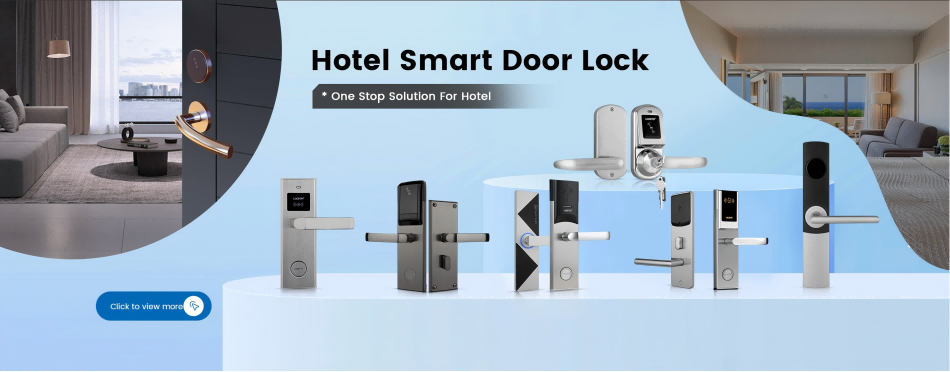
Before comparing lock models, map how people move through the property. Think beyond guest-room doors. Include staff entrances, storage rooms, meeting spaces, fitness areas, elevators, back-of-house doors, and other restricted zones.
Then consider how guests check in. Do they receive a keycard at the front desk? Do they use a mobile app? Does your property support self-check-in after normal reception hours? The answers will affect the access technology, software, training, and backup methods you need.
It is also important to separate guest access from staff access. A guest may need room access until checkout, while housekeeping staff need access only during selected working hours. Maintenance teams may need entry to technical rooms but not guest rooms. A well-designed hotel lock system should make these permissions easy to create, change, and remove.
The following features should be considered before price, finish, or appearance.
| Feature | Why It Matters | What to Confirm |
| Multiple access methods | Gives guests and staff practical backup options | RFID card, mobile key, PIN, mechanical emergency key, or other approved credentials |
| PMS or software integration | Reduces manual work at check-in and checkout | Compatibility with your current PMS, API, middleware, and room-status workflow |
| Role-based permissions | Limits access by person, door, and time | Separate rights for guests, cleaners, maintenance staff, managers, and emergency users |
| Audit trails | Helps investigate access events and operational issues | Time-stamped records, credential identification, export options, and log retention |
| Battery monitoring | Reduces unexpected lock failures | Low-battery alerts, battery type, replacement process, and maintenance responsibility |
| Emergency access and egress | Protects guests and staff during failures or emergencies | Local exit requirements, approved override method, and emergency operating procedure |
| Hardware compatibility | Prevents costly rework during installation | Door thickness, handing, mortise type, backset, fire-door requirements, and finish |
Multiple access methods are useful, but more is not always better. A hotel should choose the methods that match its guest experience and provide a clear fallback. For example, a mobile-key property may still need a card or emergency credential for guests with a lost phone or a flat battery.
Hotel lock systems are often described as RFID, Bluetooth, Wi-Fi, or online systems. In reality, the decision should be based on the level of control your property needs.
| System Type | Typical Strength | Best Fit |
| Offline RFID | Stable, simple, and independent from hotel internet | Traditional hotels with front-desk card issuance |
| Bluetooth / mobile key | Flexible guest access and contactless check-in | Boutique hotels, serviced apartments, and short-stay properties |
| Online or gateway-based system | Central management, live status, and remote permission changes | Larger hotels, multi-property operators, and projects with advanced PMS needs |
Offline does not mean outdated. An RFID system can be a dependable option when hotel staff issue cards at reception and internet independence is important. RFID hotel locks may be especially suitable when a property wants a familiar and easy-to-maintain keycard workflow.
Bluetooth and mobile-key systems can improve self-check-in, but remote functions may require a gateway, cloud service, or internet connection. Online systems provide more visibility, yet they also need clear network planning, account security, and support procedures if connectivity is interrupted.
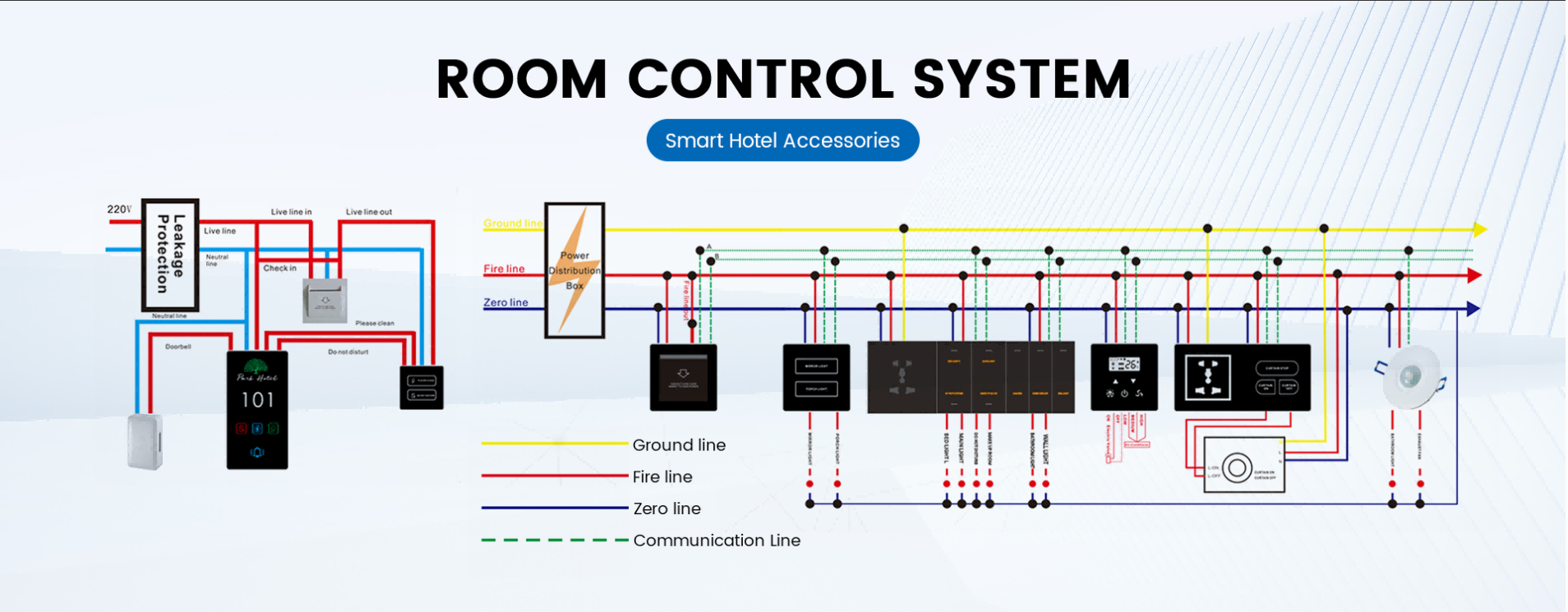
A smart lock system should protect both the physical door and the digital access process.
On the physical side, review the lock body, mortise, handles, latch, deadbolt, door frame, and installation quality. A feature-rich lock cannot compensate for a weak door or an incorrectly prepared mortise. Always confirm which hotel door lock solutions fit the actual door structure before placing a bulk order.
On the digital side, ask how access permissions are managed. Can an old keycard be cancelled immediately? Can mobile access expire automatically at checkout? Can administrator rights be limited to selected team members? Are audit logs protected and available when an incident needs review?
Security and safety requirements also vary by market. Do not treat one certificate, product label, or marketing claim as proof that a lock is suitable everywhere. Confirm applicable local building codes, fire-door requirements, emergency egress rules, and project-specific certifications before final specification.
A hotel lock project should begin with a site survey, not a purchase order. Measure door thickness, mortise dimensions, backset, handing, door material, and existing hardware. This is especially important for renovation projects, where room doors may not all have identical specifications.
Before a full rollout, install a small pilot group of locks on representative doors. Test guest check-in, staff access, checkout expiry, audit logs, PMS communication, low-battery alerts, and emergency procedures. A pilot often reveals training or installation issues before they affect every room.
Long-term support deserves the same attention as the lock hardware. Ask suppliers about spare parts, battery replacement, software updates, training materials, technical response times, system documentation, and replacement lead times.
The cheapest lock is not always the lowest-cost system over time. Total cost of ownership can include lock hardware, card encoders, keycards, gateways, software, installation labor, door modification, staff training, spare parts, batteries, and future expansion.
A lower-cost RFID system may make sense for a standard hotel with a front desk. A mobile-key system may reduce card handling and support self-check-in. An online system may cost more initially but save time when several buildings, staff groups, or properties must be managed centrally.
The goal is not to buy every available feature. It is to invest in the features that reduce operational friction and remain useful as the property grows.
No. Many RFID hotel lock systems work offline. Internet access is mainly needed for remote management, live status updates, cloud-based dashboards, or mobile-key features that operate beyond local Bluetooth range.
Neither is always better. RFID is practical for traditional front-desk hotels, while mobile keys can support contactless check-in. Many properties use more than one credential type to give guests and staff reliable backup options.
Many systems can, but compatibility should never be assumed. Confirm the PMS version, integration method, available API or middleware, and the exact workflow for issuing and cancelling guest access.
A suitable system should provide an early alert and a defined maintenance process. Before installation, confirm the battery type, expected replacement process, emergency access method, and responsibility for routine checks.
Often yes, but compatibility depends on door thickness, mortise size, backset, handing, fire-door requirements, and existing hardware. A site survey should be completed before ordering.
The best hotel smart lock system is the one that supports your guests, staff, doors, and daily operations without creating unnecessary complexity. Start with your workflow, confirm hardware compatibility, choose the right access model, and plan for maintenance and emergencies before finalizing the purchase.
Planning a hotel lock upgrade or a new hospitality project? Request a hotel lock system recommendation from Locstar by sharing your room count, door specifications, access requirements, PMS needs, and target market.
 en
en es
es ar
ar lt
lt 中文
中文